
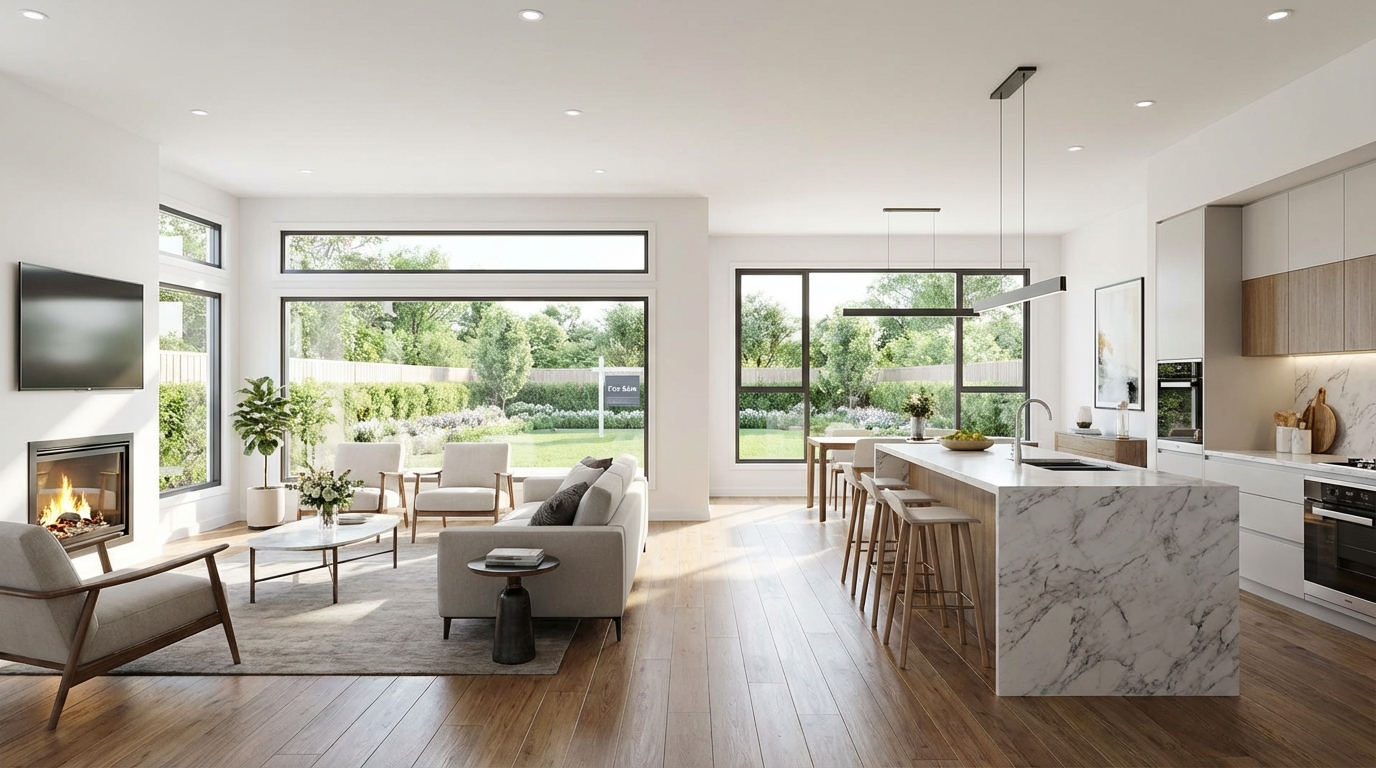
Buyers decide whether to click, save, or book a showing in seconds—and your photos do most of that work. The good news: you don’t need a studio camera or years of experience to get strong results. With the right preparation, light, angles, and a simple editing workflow, you can create scroll-stopping images that help your home look its best (and feel worth touring).
This selling guide breaks down practical photography tips for better listings, including room-by-room checklists, phone camera settings, and a repeatable shot plan you can follow every time.
Why listing photos matter (and what “better” really means)
Online search is the new open house. Most buyers form an impression of your home before they ever step inside, and photos are the fastest way to communicate value: space, light, flow, finishes, and upkeep.
“Better” listing photos aren’t about heavy filters or making a home look like something it’s not. They’re about:
- Clarity: sharp images, clean compositions, accurate color
- Consistency: similar brightness and style across the set
- Storytelling: a logical order that “walks” buyers through the home
- Trust: honest representation that reduces surprises at showings
When your photos are clear and inviting, you typically earn more clicks, more saves, and more tours—momentum that can translate into stronger offers.
Prep first: make every room camera-ready
Great real estate photography starts before you touch the camera. Prep affects perceived space, cleanliness, and the emotional tone of the listing. Use this quick checklist to get consistent results.
1) Declutter and “edit” the room
- Clear countertops (especially kitchens and baths): leave one intentional item at most.
- Remove floor clutter: baskets, extra chairs, laundry, pet items.
- Minimize personal items: family photos, mail, medication, toiletries.
- Hide cords and chargers; close toilet lids; straighten rugs.
2) Clean for light, not just for living
- Wipe reflective surfaces: mirrors, stainless steel, glass, glossy cabinets.
- Clean windows inside and out if possible—natural light is a selling feature.
- Replace burned-out bulbs so brightness is even room-to-room.
3) Stage with simple, believable touches
- Fluff pillows, smooth bedding, align dining chairs.
- Add subtle warmth: a folded throw, a small plant, a bowl of fruit.
- Keep it neutral—avoid loud patterns that distract from the space.
4) Choose the best time of day
Light changes everything. If your home gets strong morning sun in front-facing rooms, shoot earlier. If the main living areas glow in the afternoon, plan for later. Aim for bright, even light rather than harsh sunbeams that create blown highlights and deep shadows.
Capture better photos: lighting, angles, and camera settings
You can shoot with a modern smartphone and still produce excellent listing photos—if you control lighting and composition and avoid common distortions.
1) Use natural light the right way
- Open blinds and curtains (but watch for clutter outside windows).
- Turn on interior lights for warmth, especially in darker corners.
- Avoid mixed color temperatures when possible (e.g., daylight + very warm bulbs). If your bulbs vary, consider swapping to consistent LEDs (same Kelvin rating) for the shoot.
Pro tip: If a room has bright windows and a darker interior, tap your phone screen to set exposure for the room (not the window), or use HDR carefully to balance highlights and shadows.
2) Keep vertical lines straight (the #1 “amateur” giveaway)
When walls and doorframes tilt, rooms feel smaller and less polished. To fix it:
- Hold your camera level—don’t tilt up or down.
- Shoot from mid-chest height (often 4–5 feet) for most rooms.
- Step back or use a wider lens rather than tilting to “fit” more in.
3) Wide angle—yes, but don’t overdo it
Wide shots help buyers understand layout, but extreme wide angle can warp edges and misrepresent size. If using a phone:
- Start with your main 1x lens for the most natural look.
- Use 0.5x only when necessary, and keep the camera level to reduce distortion.
- Don’t shoot too close to furniture; step into a doorway or corner instead.
4) Use a simple stability setup
- Tripod (even an inexpensive phone tripod) improves sharpness and consistency.
- Use a 2–3 second timer to avoid camera shake.
- Wipe your lens—one fingerprint can soften every image.
5) Phone settings that make a real difference
- Enable grid lines to keep horizons and verticals aligned.
- Use HDR in high-contrast rooms, but avoid over-processed halos.
- If available, shoot in RAW for better editing flexibility.
- Turn off beauty filters and aggressive AI smoothing—buyers want realism.
Room-by-room shot list (a repeatable plan)
Consistency helps your listing feel professional. Use a planned sequence so buyers can “walk” the home naturally. Below is a practical shot list you can follow for most properties.
Exteriors (first impressions)
- Front elevation: straight-on, centered, with clean lines and a tidy entry.
- Front angle: a 45-degree shot to show depth and landscaping.
- Backyard/patio: capture usable space—seating, lawn, garden, or views.
- Street/setting: only if it adds value (cul-de-sac, greenery, distance from traffic).
Tip: Move cars out of the driveway, roll trash bins out of sight, and tidy hoses and tools.
Living room / great room
- Two wide shots from opposite corners to show the full space.
- One “flow” shot that includes the transition to dining/kitchen if open concept.
Kitchen
- One wide shot showing layout and primary finishes (cabinets, counters, backsplash).
- One angle highlighting features (island, pantry door, upgraded appliances).
- Optional detail shot: faucet, range, or a standout design element (keep it minimal).
Kitchen quick prep: clear magnets/papers from the fridge, hide soap sponges, remove towels from oven handles, and put away countertop appliances.
Dining area
- One wide shot that shows relationship to kitchen and living space.
- Keep chairs aligned; avoid cluttered centerpieces.
Bedrooms
- One wide corner shot showing bed placement and walking space.
- One secondary shot showing closets, windows, or a seating nook.
Tip: Make beds hotel-tight: smooth duvet, symmetrical pillows, and uncluttered nightstands.
Bathrooms
- One wide shot from the doorway if possible.
- One shot highlighting shower/tub and finishes.
Bathroom quick prep: remove toiletries, wipe mirrors, close the toilet, fold towels neatly, and hide bath mats if they look worn.
Bonus spaces that sell lifestyle
- Home office, nursery, gym corner, loft, finished basement
- Laundry room if clean and bright
- Garage only if it’s organized and adds value
Editing: polish without misrepresenting
Editing should make your photos look like the home does on its best day—bright, clean, and accurate. Keep it subtle and consistent across the full set.
A simple 6-step editing workflow
- Straighten and correct perspective: fix leaning vertical lines.
- Adjust exposure: lift shadows slightly; avoid blown-out windows when possible.
- Set white balance: whites should look white, not yellow or blue.
- Reduce highlights: especially near windows and shiny surfaces.
- Add mild contrast and clarity: keep textures natural (no gritty over-sharpening).
- Crop consistently: maintain similar framing and aspect ratio.
What to avoid (to keep trust high)
- Over-saturation that makes paint colors inaccurate
- Heavy HDR with halos around windows and lights
- Misleading edits that remove permanent features or defects
- Extreme wide-angle distortion that changes perceived room size
Rule of thumb: If a buyer would be surprised by what they see in person, you’ve edited too far.
Ordering and selecting photos for maximum impact
Even strong photos can underperform if they’re in the wrong order or if you include too many near-duplicates. Your goal is a clean, compelling set that answers buyers’ questions quickly.
How many photos should you include?
Enough to show the full home confidently—without overwhelming. A practical range for many listings is 20–40, depending on size and features. Prioritize:
- Best exterior first (hero shot)
- Main living areas
- Kitchen and primary bedroom
- Bathrooms and secondary rooms
- Outdoor spaces and bonus features
Make the first 5 photos count
Many buyers scroll quickly. Lead with your strongest images:
- Front exterior
- Living room / great room
- Kitchen
- Primary bedroom
- Backyard/patio or best lifestyle feature
Quick troubleshooting: common listing photo problems (and fixes)
- Dark rooms: open blinds, add lamps, raise exposure, use a tripod.
- Yellow/orange tint: correct white balance; standardize bulb color temperature.
- Small-looking spaces: shoot from corners/doorways; avoid tilting; declutter more.
- Glare in mirrors/windows: change angle slightly; turn off one offending light.
- Blown-out windows: lower highlights; use HDR carefully; expose for the room.
Conclusion: better photos = better buyer confidence
Strong listing photos don’t just look good—they help buyers understand your home, trust what they’re seeing, and take the next step. With thoughtful prep, consistent lighting, straight lines, and light editing, you can create a professional-quality listing that stands out in search and earns more interest.
When you’re ready to publish, AIRE helps you turn great visuals into a high-performing listing: use AI-powered guidance to organize your photo set, optimize your listing presentation, and manage your sale with clear, step-by-step support—so you stay in control from first click to closing. Get started with AIRE and build a smarter, more confident selling experience.